For family law professionals turning live case data into court forms, agreements, and precedents they can review in the browser or finish in Word.

Browse by province or category. Financial Statements, Applications, Affidavits, Consent Orders, and more.
Party names, addresses, income, support amounts, children, and court info fill from your case file. Calculated fields resolve automatically.
Open in the browser editor or download as Word. Add clauses, adjust figures, edit free-text. Calculation fields stay locked.
Download as .docx for e-filing or print-ready PDF. Push to Clio with one click.
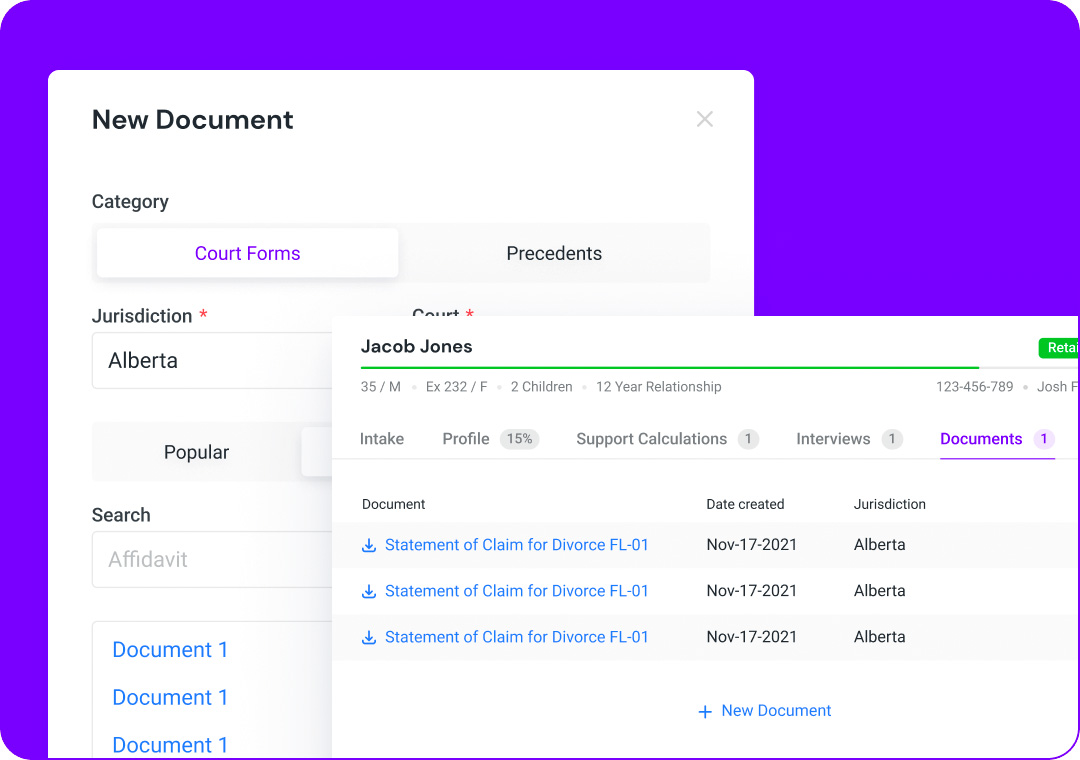
Data flows from your support calculation directly into court forms — income, custody, support amounts, party details. No re-typing, no errors.
 Party information Income & employment Custody arrangements Support amounts Property & assets Expenses & special costs
Full WYSIWYG editor — no Word required. Add text, adjust formatting, insert clauses. Calculation fields update automatically as you make changes to your case.
Or download as an editable Word document and work in Microsoft Word with the Divorcepath Word Add-In.
Learn more about the Document Editor →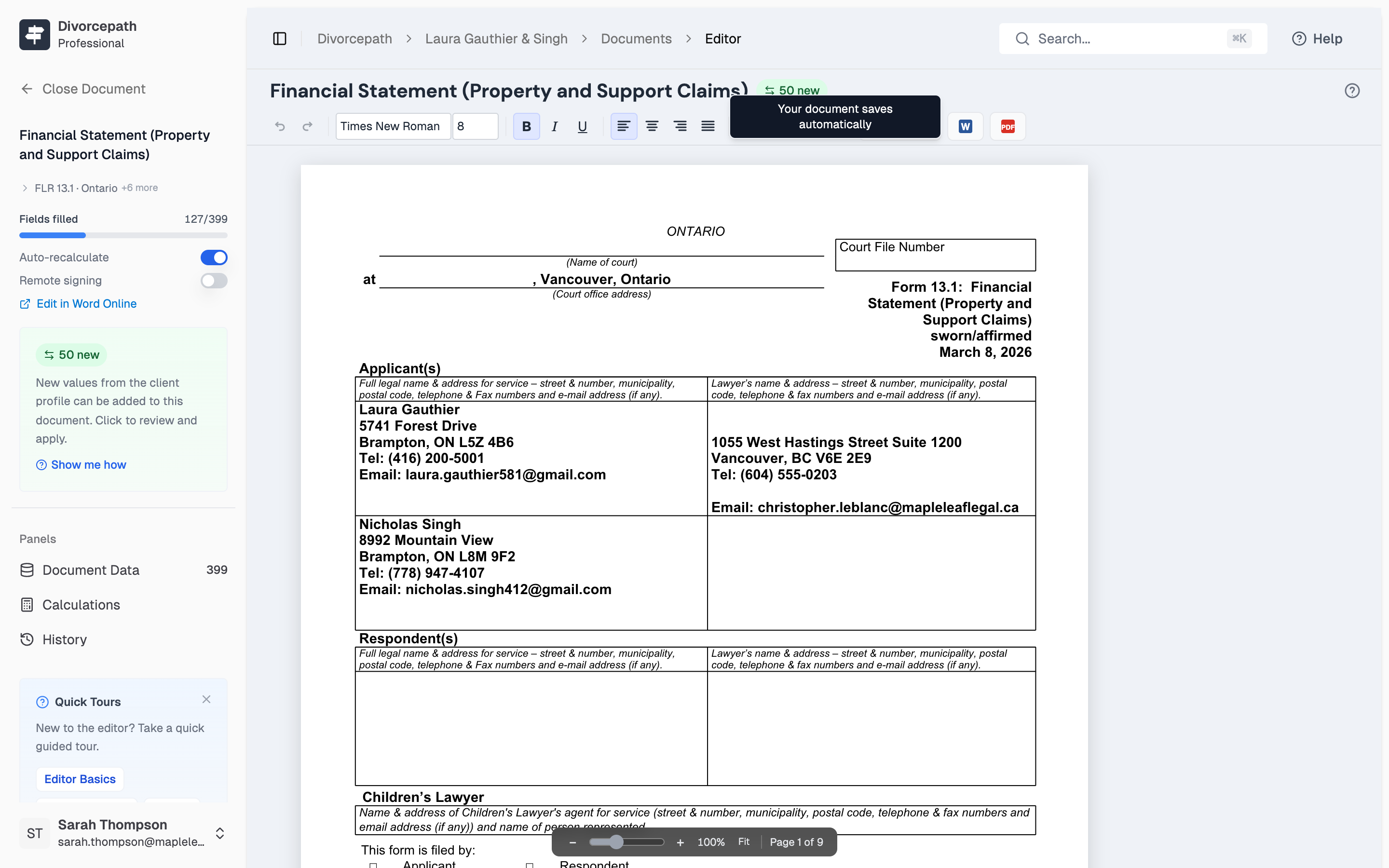
Auto-populate hundreds of court forms from your client file in seconds.
7-day free trial · Full access to all features
Don't see the form you need? Request a form and we'll add it.
All values recalculate automatically when you change case data.
Court forms used to take my assistant 45 minutes each. Now they're pre-populated in seconds and I just review them.
Court forms are just one piece. See how the data flows.
Join hundreds of Canadian family lawyers saving hours on every file.
7-day free trial · Cancel anytime · Free onboarding included

