Switching?
Moving from DivorceMate? We port your client files, calculations, forms & agreements →
Migration

Migrate from DivorceMate to Divorcepath

Your client profiles, calculations, court forms, and agreements — all ported into your Divorcepath client files, ready to pick up where you left off. We handle the move; you just confirm what's coming with you.
Trusted by Canadian family law firms moving off legacy tools
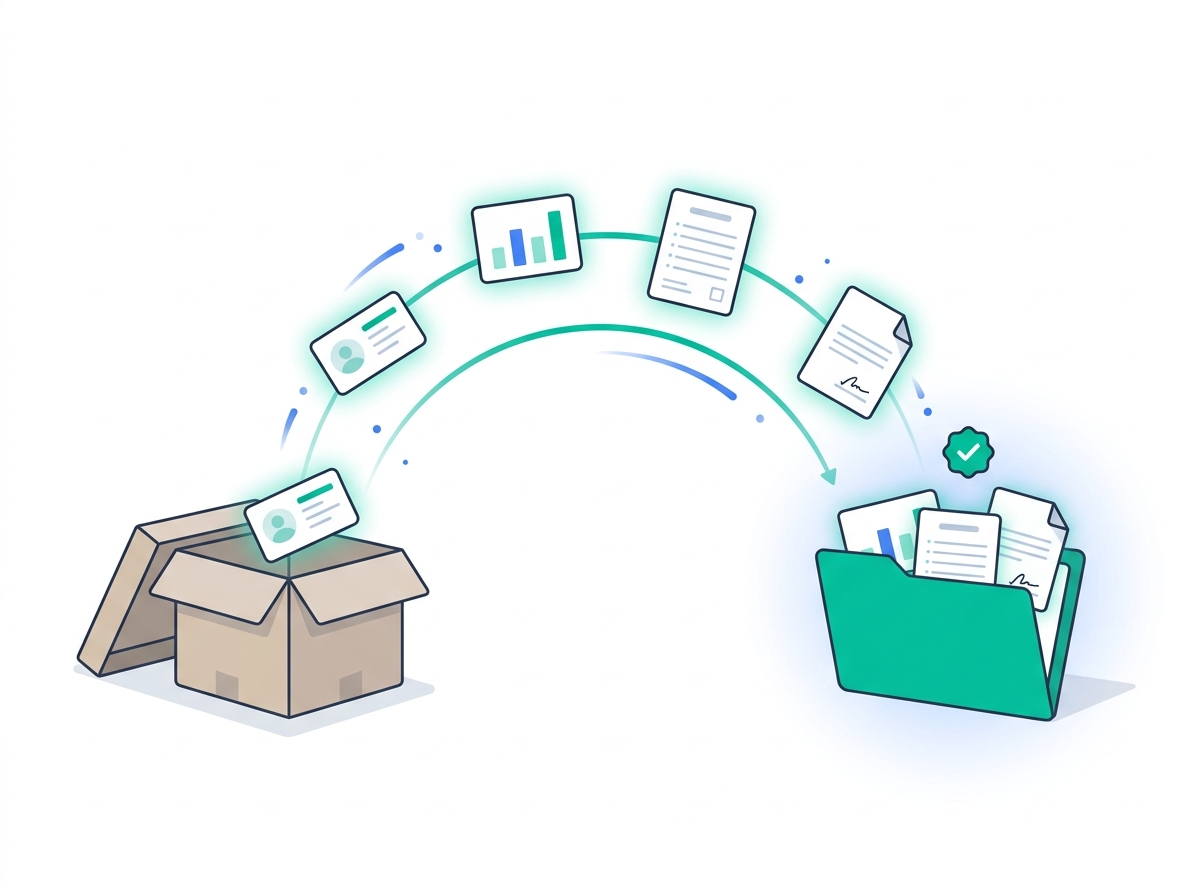
Migration illustration: client profiles, calculations, court forms, and agreements moving from a legacy storage box into a Divorcepath client folder.

What comes with you

Four asset types ported into your Divorcepath client files. We handle the move; you confirm what's coming.

Client profiles

Every contact, matter, and case detail re-created as a Divorcepath client file.

Calculations

Your DivorceMate PDF calculations attached to the matching client file, with parameters re-keyed so you can re-run them.

Court forms

Your Word .docx forms imported into the Divorcepath document library, fully editable.

Agreements

Separation agreements, drafts, and templates ported into your client files.

When you log in to Divorcepath, your work is right where you left it. No re-entry, no scramble, no “wait, where did we save that?”

How the migration works

Five steps from first call to fully live on Divorcepath. Most firms complete the move in 1–2 weeks.

1. Discovery call

15 minutes. We learn your current setup, file count, team mix, and what you want to bring across.

2. Tailored migration plan

Timing, parallel-run window, training schedule, and DivorceMate renewal alignment so there's no double-billing.

3. Set up Divorcepath

Accounts provisioned, custom letterhead and templates loaded, document library configured for your firm.

4. Data & workflow transition

Client profiles, calculations, court forms, and agreements land in your Divorcepath account. Live training for your team during the cutover.

5. You're live

30 days of dedicated support after cutover. Direct access to the team for questions, edge cases, and workflow tweaks.

What changes when you switch

The day-one differences. The full feature comparison covers calculations, forms, custody scenarios, and provincial coverage in detail.

Today on DivorceMate

What you have now

Price$100–$250/user/mo
Commitment12–36 month contract
Provinces (forms)AB, BC, ON
Annual cost (1 user)up to $3,000
DataRe-entered per document
After you migrate

On Divorcepath

Price$80/user/mo (annual)
CommitmentMonthly or annual
Provinces (forms)All provinces & territories
Annual cost (1 user)$960
DataEntered once, used everywhere

See the full feature comparison →

Plan your switch in 15 minutes

Tell us your file count and DivorceMate renewal date. We'll lay out a migration plan tailored to your firm.

Book a migration call View pricing

Free with annual plan · Free 7-day trial during the parallel-run window

Migration FAQ

How long does the migration take?
Most solo and small firms are live on Divorcepath within 1–2 weeks of the discovery call. Larger firms with hundreds of active matters typically plan a 3–4 week parallel-run window. We tailor the timeline to your file count and rollout preference during the discovery call.
Is there a cost for migration?
Migration is complimentary for teams moving to a Divorcepath annual plan. The discovery call is free. We handle the data port, set-up, and training as part of the switch — there is no separate migration fee.
What gets migrated and what doesn't?
We migrate client profiles, your DivorceMate PDF calculations attached to the matching Divorcepath client file, your Word .docx court forms and agreements imported into the document library, and your custom letterhead and templates. Active billing/time-tracking lives in your practice management software (e.g. Clio) and is not part of the migration.
Will my Word templates and forms work in Divorcepath?
Yes. Your existing Word .docx templates and forms are imported into the Divorcepath document library and remain fully editable. Court form fields can be wired to your Divorcepath client data so the form auto-populates from the matter going forward.
Can I re-run my old DivorceMate calculations in Divorcepath?
Yes. We attach the original DivorceMate PDF calculation to the matching Divorcepath client file so you have the historical record, and we re-key the inputs into a Divorcepath calculation so you can re-run, vary, or update it with current tax tables.
Can I run DivorceMate and Divorcepath in parallel during the cutover?
Yes. Most firms run both side by side for 1–3 weeks while the team gets comfortable with Divorcepath and active matters move over. We support that parallel-run window directly and help schedule the final cutover when your team is ready.
What does the training cover?
Live onboarding sessions cover support calculations, court forms and agreements, the document editor, financial disclosure, and Clio integration if applicable. Sessions are tailored to your team's role mix — lawyers, mediators, paralegals, and admins each get the workflows that matter to them.
Do you offer team or firm discounts on annual plans?
Yes. Volume pricing is available for teams of five or more on annual plans. We can also structure annual-plan transitions so there is no double-billing during the parallel-run period. Bring your DivorceMate renewal date to the discovery call and we will plan around it.

What firms say after switching

★★★★★
“Divorcepath has truly streamlined how our firm operates. What stands out most is the responsiveness of their team; they listen, adapt, and deliver. Tasks that used to take hours now take minutes.”
Angelina Macri
Family Lawyer, Ontario (20+ years)
Read case study →
★★★★★
“The platform replaced multiple tools, saved us time, and gave clients clearer financial insights. It takes a little adjustment at first, but it quickly becomes second nature.”
Eva Sachs, CDFA
Divorce Financial Consultant
Read case study →
★★★★★
“As a firm owner, I need tools that are reliable and easy for my whole team to use. Divorcepath delivers on both. The financial disclosure features and document automation have transformed how we handle files from intake to resolution.”
Brandi Aymont
Family Lawyer, Alberta (20+ years)

Ready to switch?

Book a 15-min migration call. We'll lay out a plan tailored to your firm's file count and DivorceMate renewal date.

Book a migration call Start free trial

Free with annual plan  ·  1–2 week typical migration  ·  30 days dedicated support