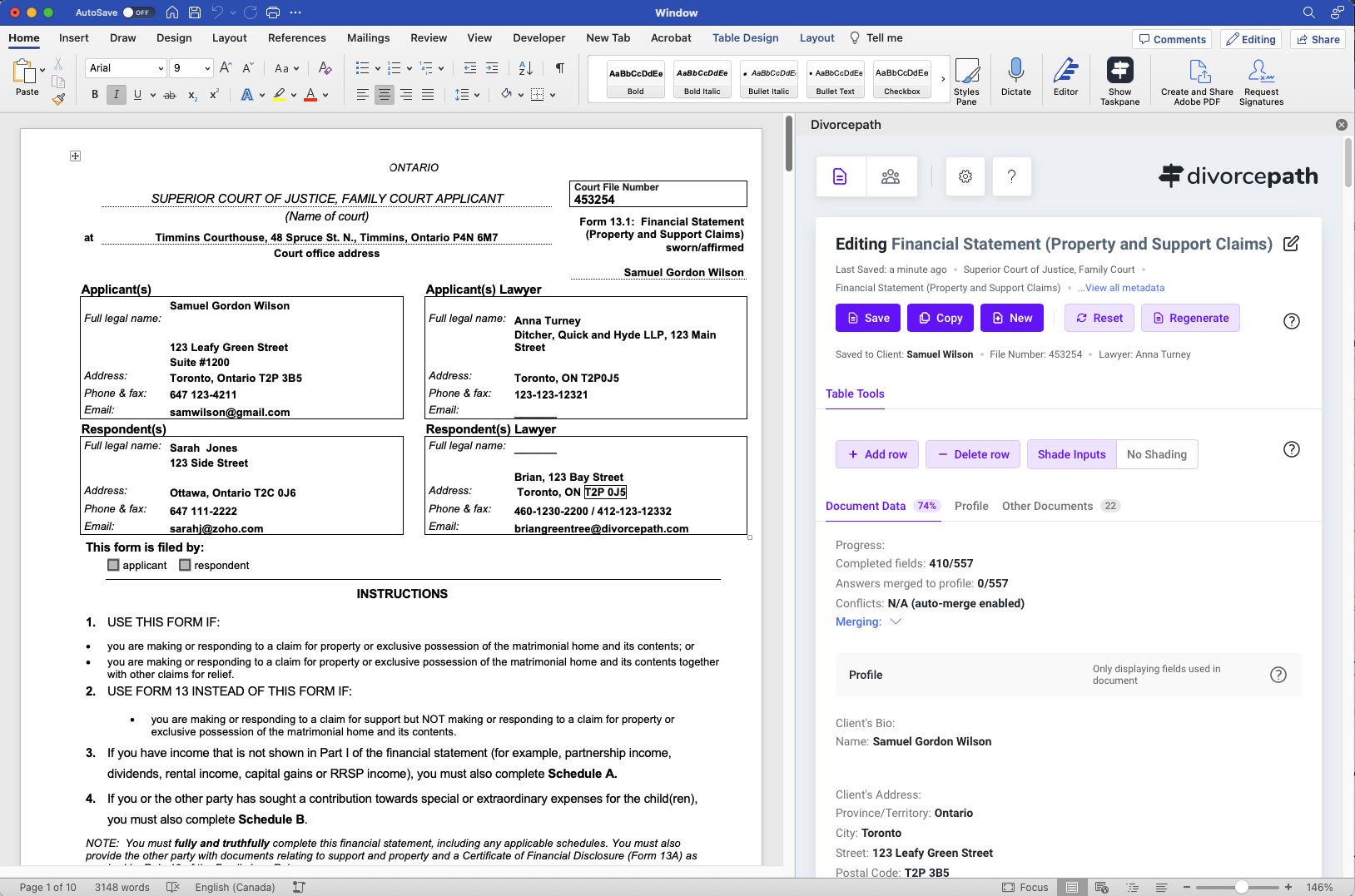
Coming soon for firms with house-style Word templates that want Divorcepath data to populate them without manual copy-and-paste.
Start with any Word document. Add merge fields using the Field Picker in the add-in sidebar. Fields insert as content controls with placeholder names.
Open your template, sign into Divorcepath, select a client file, and click Populate. All fields update with live data in seconds.
Use the same template across all your files. When client data changes, click Populate again. Only changed values update — your manual edits are preserved.
Fields use structured data paths for reliable mapping. Type-aware formatting ensures currencies display as dollar amounts, dates as readable dates, and names in proper case. Every field updates from live client data — no copy-paste, no typos.
Start a free trial now, or talk to us about early access and rollout planning for custom templates.
Join hundreds of Canadian family lawyers saving hours on every file.
7-day free trial · Cancel anytime · Free onboarding included