A browser-based editor built for family law professionals. Review populated forms, make matter-specific edits, and keep calculations current without switching tools.
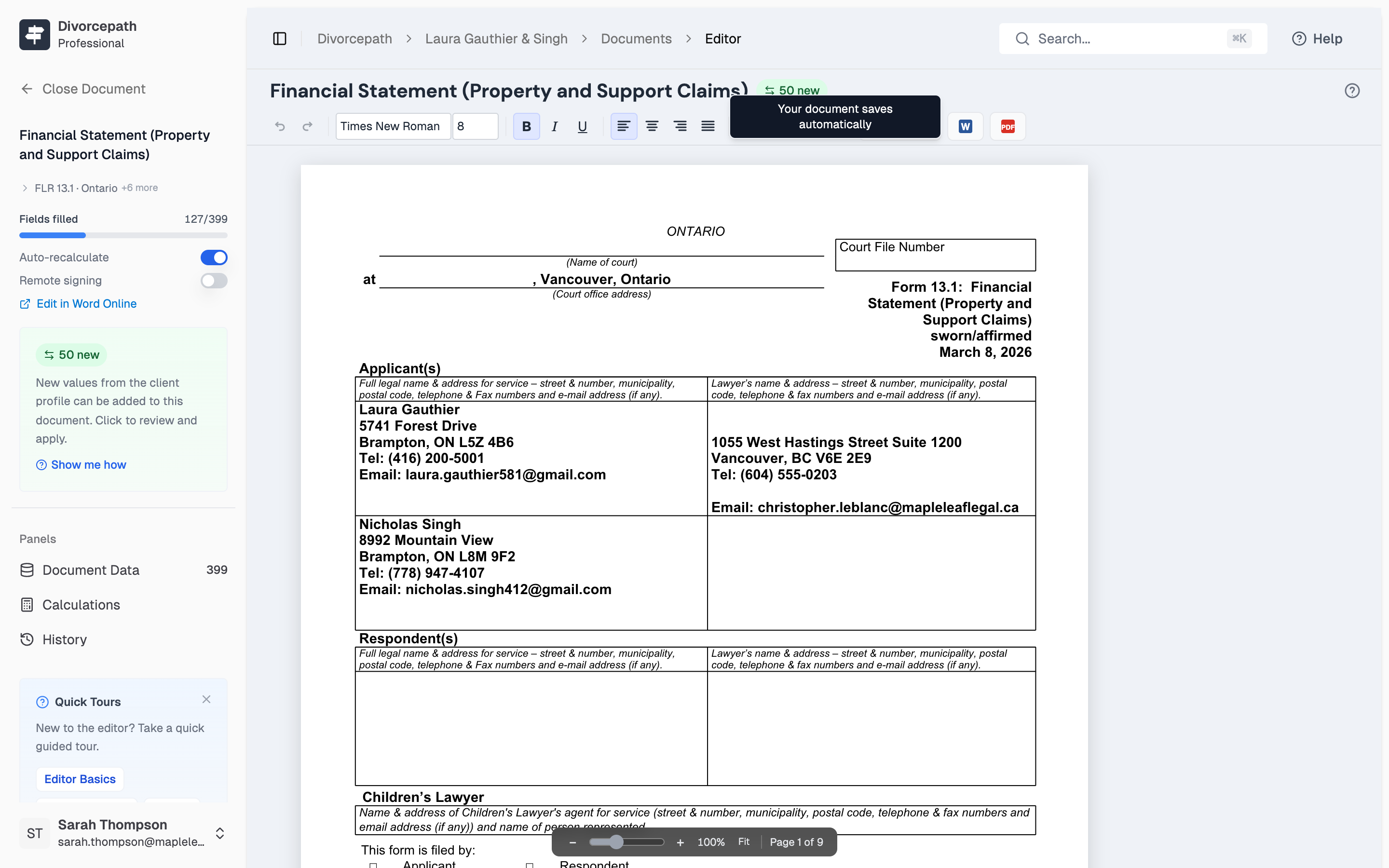
Court forms are automatically filled with information from your client files — names, dates, financial details, and support amounts. No need to re-type what you've already entered.
Calculations update in real time. Change a support amount or income figure and watch the document update instantly.
Everything you need to edit court forms without leaving your browser.
Bold, italic, alignment, fonts, and paragraph styles — all in the browser.
Edit cell content, add rows, and merge cells in court form tables.
Client names, dates, and financial data fill in automatically from their file.
Change an income figure and watch support amounts update in real time.
Export to .docx for filing, sharing, or further editing in Microsoft Word.
Generate court-ready PDFs directly from the editor with one click.
Everything you need to navigate, edit, and validate complex court forms.
Browse every content control in the document. See mapped fields, calculated fields, and free text. Click any field to jump directly to it.
View document sections at a glance. Mark signing and non-signing parties. Navigate long documents without scrolling.
65+ calculated fields in Form 13.1. Values update in real time as you edit. Two-pass convergence ensures accuracy.
Full undo and redo support. Every edit is tracked. Revert to any previous state or restore changes.
Navigate between fields, save documents, toggle panels, and undo changes — all without reaching for the mouse. Standard shortcuts work the way you'd expect.
Edit court forms directly in Divorcepath — no downloads, no plugins.
7-day free trial · Full access to all features
I can review and edit a Form 13.1 right in my browser now. No more downloading, editing in Word, and re-uploading.
The editor is one piece of a complete document workflow.
Join hundreds of Canadian family lawyers saving hours on every file.
7-day free trial · Cancel anytime · Free onboarding included

