For family law professionals who want to keep working in desktop Word while pulling Divorcepath data, calculations, and synced documents into the taskpane.
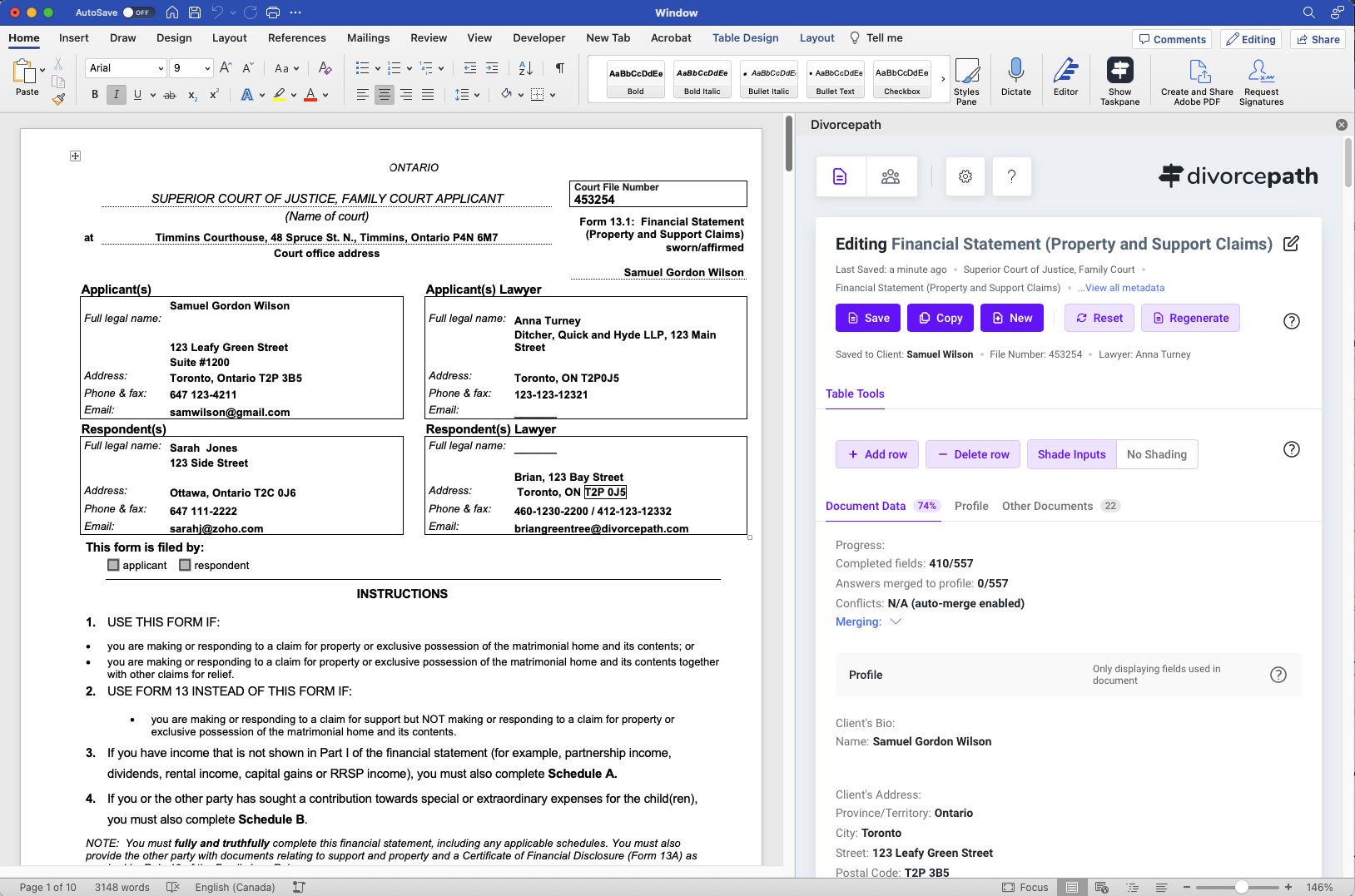
Available on Microsoft AppSource. Install from Word's add-in store or deploy through Microsoft 365. Requires Office 365.
Open any Divorcepath court form, agreement, or financial statement in desktop Word. Sign into your Divorcepath account in the taskpane.
Edit with the full formatting power of desktop Word. Changes sync automatically to your Divorcepath client profile in the cloud.
The Word add-in brings the same calculations, data sections, and merge functionality as the Divorcepath online editor — directly into desktop Word.
Child support, spousal support, and property division calculations run directly in the taskpane. Update income or expenses and see results immediately.
Client data from your Divorcepath profile populates directly into the document. Names, dates, financial figures, and calculation results fill automatically.
Documents synchronize back to Divorcepath automatically. Edits you make in Word are reflected in your client file — no manual upload required.
Navigate between document sections in the taskpane — parties, children, income, expenses, assets, and more. Same section structure as the online editor.
Use Word's complete formatting toolbar — styles, tables, headers, footers, track changes, comments. Everything Word offers is available alongside Divorcepath data.
Every form in the Divorcepath library can be opened in Word — Ontario Form 13, 13.1, 13B, BC Form F8, Alberta FLRF, and more across all provinces and territories.
Save documents to NetDocuments, iManage, or your firm's document management system while keeping them synced to Divorcepath. Edit in Word, store where your firm requires.
The add-in is free to install from Microsoft AppSource. You just need an Office 365 account and a Divorcepath subscription.
Go to the Divorcepath Pro Tools page on Microsoft AppSource. You'll see the add-in listing with an overview, screenshots, and a blue “Get it now” button.
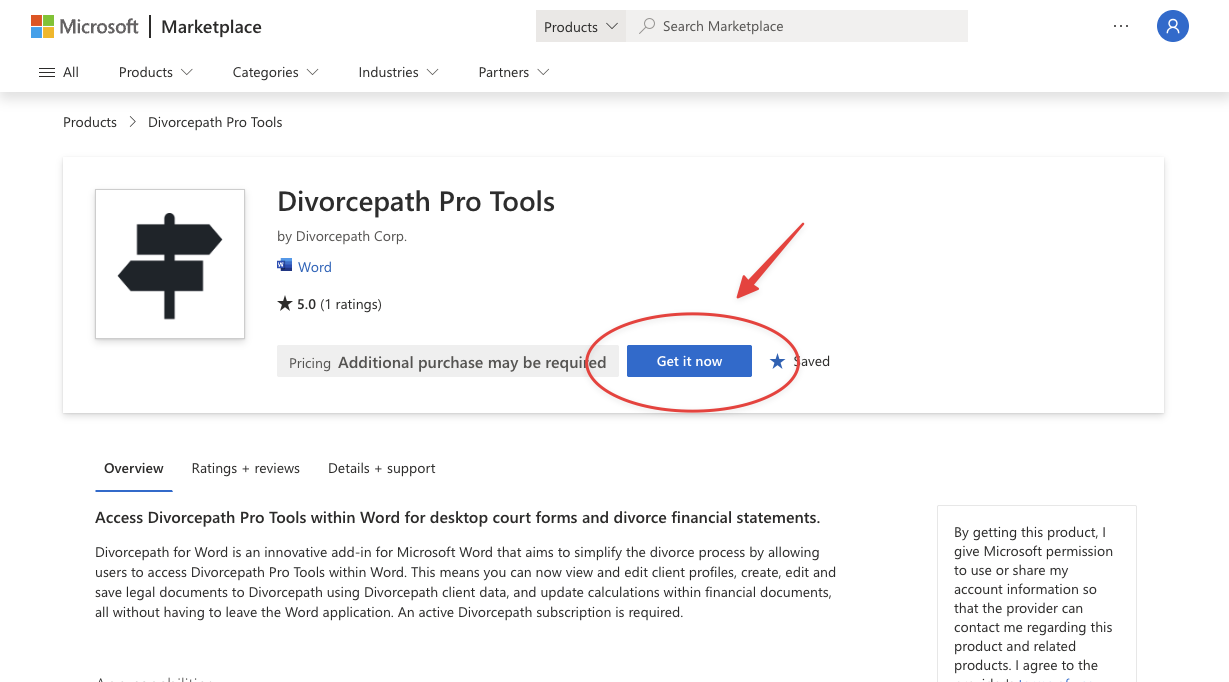
Click the blue “Get it now” button. Microsoft will ask you to sign in with your Microsoft 365 account if you aren't already.
Accept the permissions prompt. The add-in needs permission to read and edit your document and communicate with Divorcepath's servers. Click “Continue” to complete the installation.
Open Microsoft Word. Go to Insert → My Add-ins (or Get Add-ins on some versions) and select Divorcepath Pro Tools. The Divorcepath taskpane will appear on the right side of your document.
Sign in with your Divorcepath account in the taskpane. Select a client file and open any document — court forms, financial statements, and agreements will load with your client data already populated.
Both editors connect to the same client data and support the same court forms. Choose the one that fits your workflow.
Browser-based · No install required
Desktop Word · Requires Office 365
Having the Divorcepath data right inside Word means I can make final formatting tweaks without switching between apps. Everything stays in sync.
Join hundreds of Canadian family lawyers saving hours on every file.
7-day free trial · Cancel anytime · Free onboarding included

