After signing in to Divorcepath, you will land on your home dashboard. The dashboard is your central hub for managing clients, tracking activity, and accessing all of Divorcepath's tools. This guide explains each section of the dashboard and how to navigate the platform.
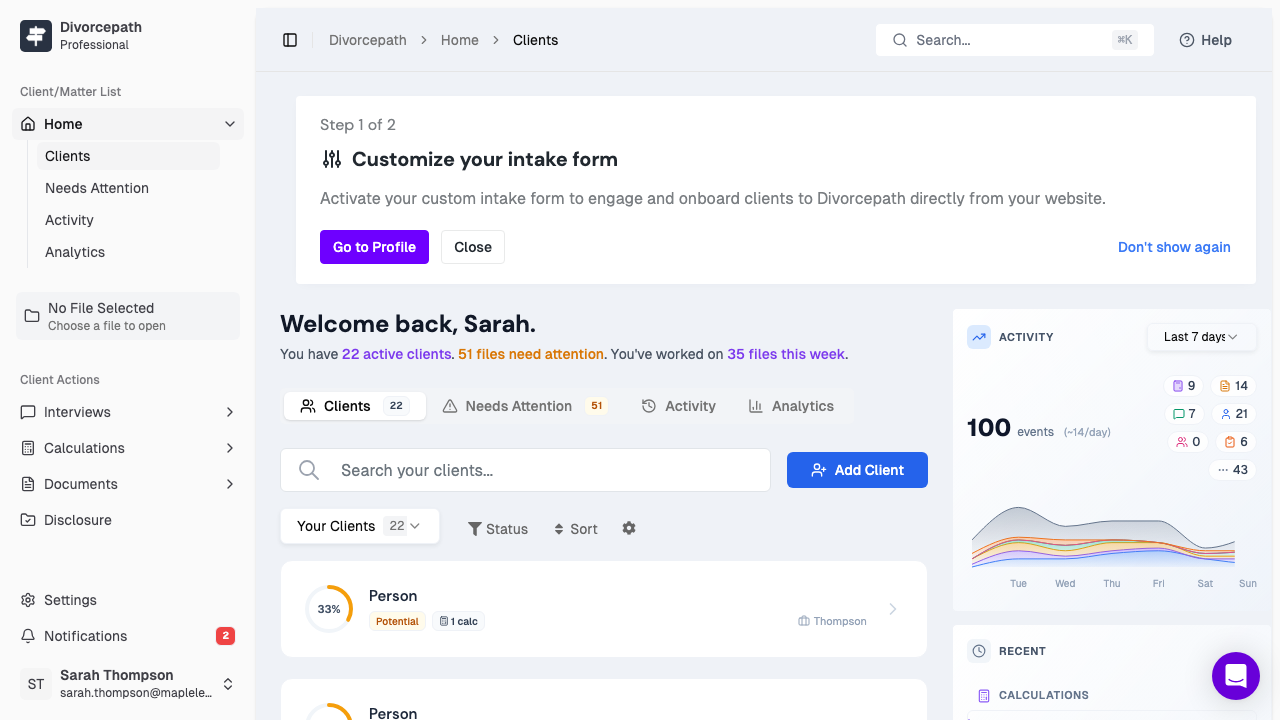
Dashboard Tabs
The dashboard is organized into tabs across the top of the page. Each tab gives you a different view of your work:
Clients Tab
The Clients tab is where you manage all of your client files. From this tab you can:
- Search for existing clients by name using the search bar.
- Filter your client list by status, jurisdiction, or other criteria.
- Create a new client by clicking the New Client button to start a new file.
- Open a client file by clicking on any client in the list to view their details, calculations, and documents.
Each client card displays key information at a glance, including the client's name, jurisdiction, and the date the file was last updated.
Needs Attention Tab
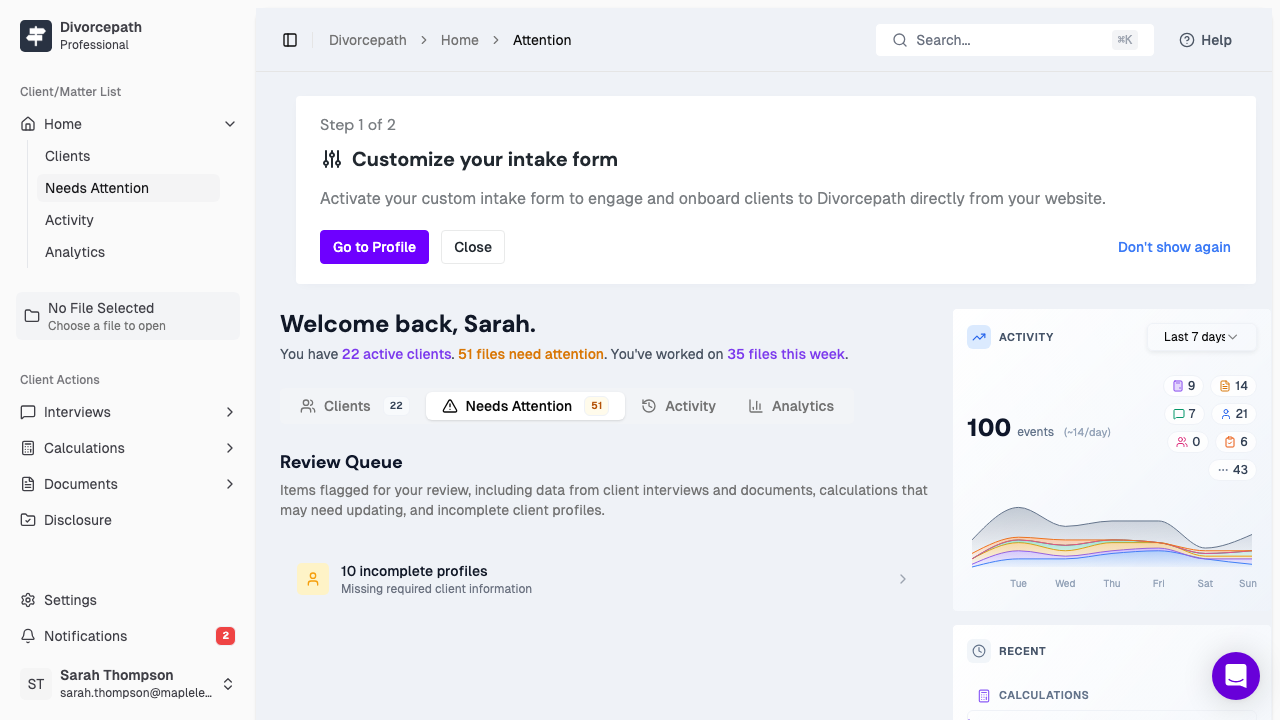
The Needs Attention tab surfaces items that require your action. This may include:
- Client files with incomplete information.
- Pending reviews or tasks that need follow-up.
- Items flagged for your attention by team members (Organization plan).
Use this tab to stay on top of your workload and ensure nothing falls through the cracks.
Activity Tab
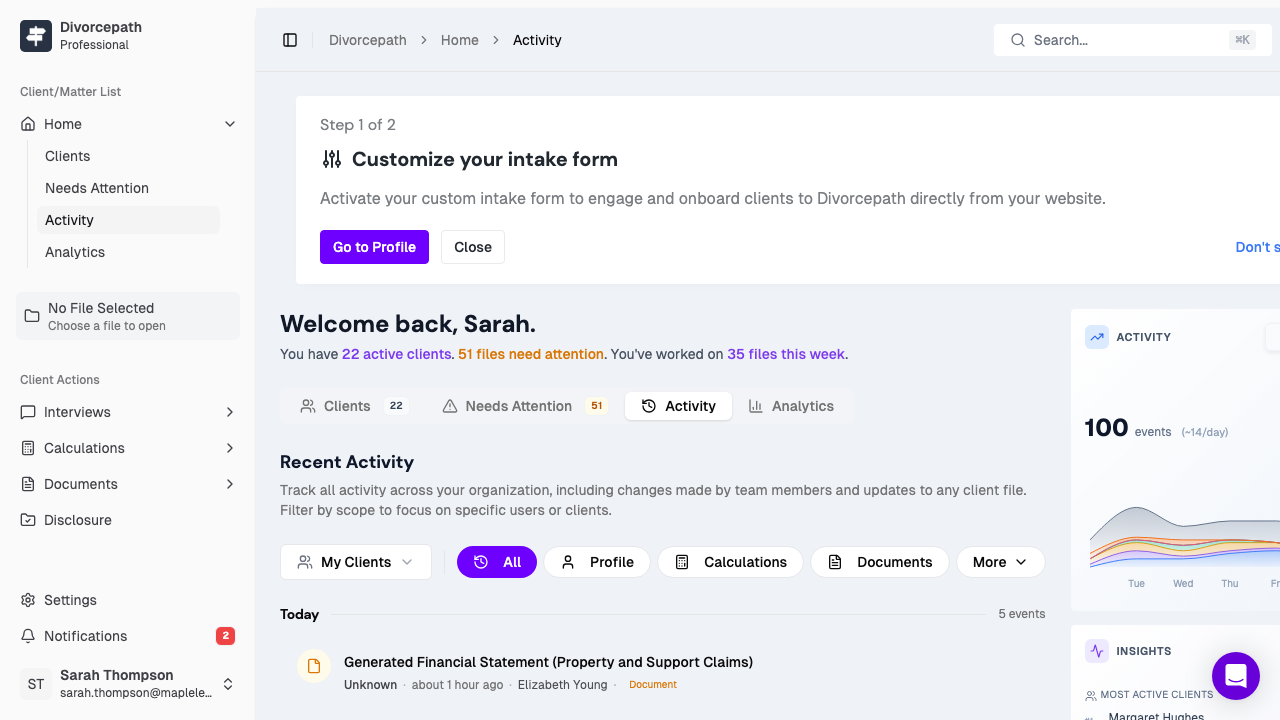
The Activity tab shows a chronological feed of recent actions across your account. This includes:
- New client files created.
- Calculations run or updated.
- Documents generated or edited.
- Changes made by team members (Organization plan).
The activity feed helps you quickly pick up where you left off and keeps you informed about what is happening across your files.
Analytics Tab
The Analytics tab provides metrics and insights about your practice. This tab is available on the Professional and Organization plans and includes:
- Summary statistics on client files, calculations, and documents.
- Team activity and productivity metrics (Organization plan).
- Trends over time to help you understand your caseload.
Sidebar Navigation
The sidebar on the left side of the screen provides quick access to all major sections of Divorcepath:
- Dashboard — Return to your home dashboard at any time.
- Calculators — Access the child support and spousal support calculators directly.
- Documents — Browse and manage your generated documents.
- Profile — Update your personal and professional information.
- Settings — Manage account settings, billing, and security.
Quick Actions
The dashboard includes quick action cards that let you jump straight into common tasks, such as creating a new client file, starting a support calculation, or generating a document. These shortcuts help you get to work faster without navigating through multiple menus.
Tip: Bookmark your dashboard URL for quick access. Once signed in, you will always land on the dashboard by default.
