When a client submits an intake interview, Divorcepath makes it easy to review their responses, detect conflicts with existing profile data, and merge the new information into the client profile. This article covers the full review and merge workflow.
Viewing Submitted Responses
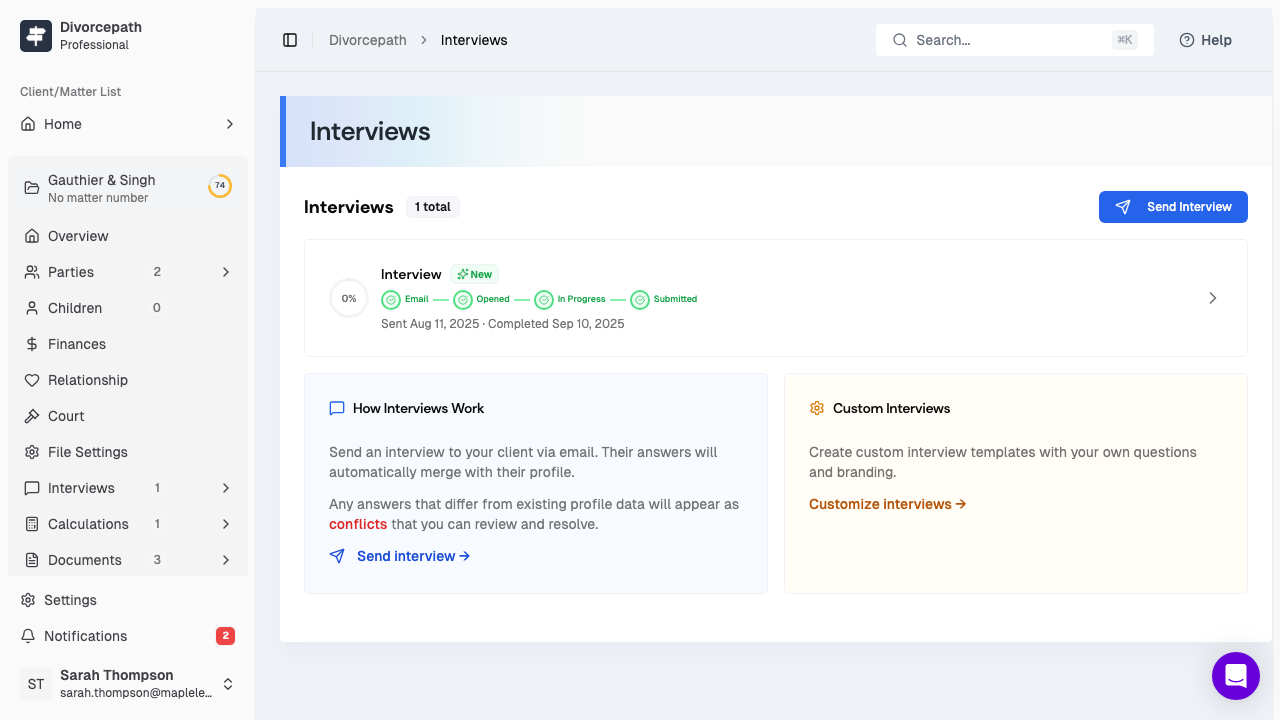
When a client completes an interview, you will be notified and the interview status will update to Completed. To review the responses:
- Open the client file and navigate to the Interviews tab.
- Click on the completed interview to open the response details.
- Review the client's answers, organized by category (personal information, finances, relationship, children, etc.).
The response view displays all of the information the client provided, formatted clearly by section so you can review it at a glance.
Data Conflict Detection
When interview responses contain information that differs from data already saved in the client profile, Divorcepath automatically detects and flags these conflicts. Conflicting fields are highlighted so you can see exactly where the new answers diverge from the existing record.
Conflicts typically arise when:
- The client has updated their address, income, or other details since the profile was last edited.
- Information was entered manually by a team member and differs from what the client reports.
- A previous interview provided different answers than the current one.
Conflict detection ensures that no data is silently overwritten and that you maintain full control over what gets updated in the client profile.
Previewing Diffs
Before merging interview data into the client profile, you can preview the differences between the interview responses and the existing profile data. The diff view shows:
- Current value — the data currently saved in the client profile.
- New value — the data provided by the client in the interview.
- Changed fields — only fields where the values differ are displayed, so you can focus on what actually changed.
This preview step allows you to make informed decisions about which changes to accept before any data is modified.
Merge Modes
Divorcepath provides two approaches for merging interview data into the client profile:
- Auto-merge — automatically applies all non-conflicting changes to the client profile. Fields where the interview answer matches the existing data or where no existing data exists are updated without requiring manual intervention. Conflicting fields are left for you to resolve individually.
- Manual merge — requires you to review and approve each change individually before it is applied to the profile. This gives you complete control over every update.
You can choose the merge mode that best suits your workflow and the level of review you require for each interview.
Resolving Individual Conflicts
For fields that have been flagged as conflicts, you can resolve each one individually:
- Click on the conflicting field to see the current profile value and the new interview value side by side.
- Choose to accept the interview value (which will update the profile) or keep the existing profile value.
- Repeat for each conflicting field until all conflicts have been resolved.
Once all conflicts have been resolved and you are satisfied with the changes, confirm the merge to apply the updates to the client profile.
How Merged Data Updates the Client Profile
After the merge is complete, the accepted changes are saved directly to the client profile. The updated information is then available throughout Divorcepath, including:
- Support calculations — updated income, expense, and financial data flows into new and existing calculations.
- Court forms — the latest client information is used when generating court forms and documents.
- Disclosure — updated financial data appears in the comparative disclosure view.
- Client profile — all profile tabs reflect the merged information.
The interview record is preserved for reference, so you can always go back and review what was submitted and what changes were made during the merge process.
