Divorcepath MCP can also be used from ChatGPT/OpenAI MCP apps, Gemini, Cursor, generic MCP-compatible clients, and other approved AI assistants. Client setup may vary, but the rule is the same: prepared work must be reviewed before Divorcepath applies it.
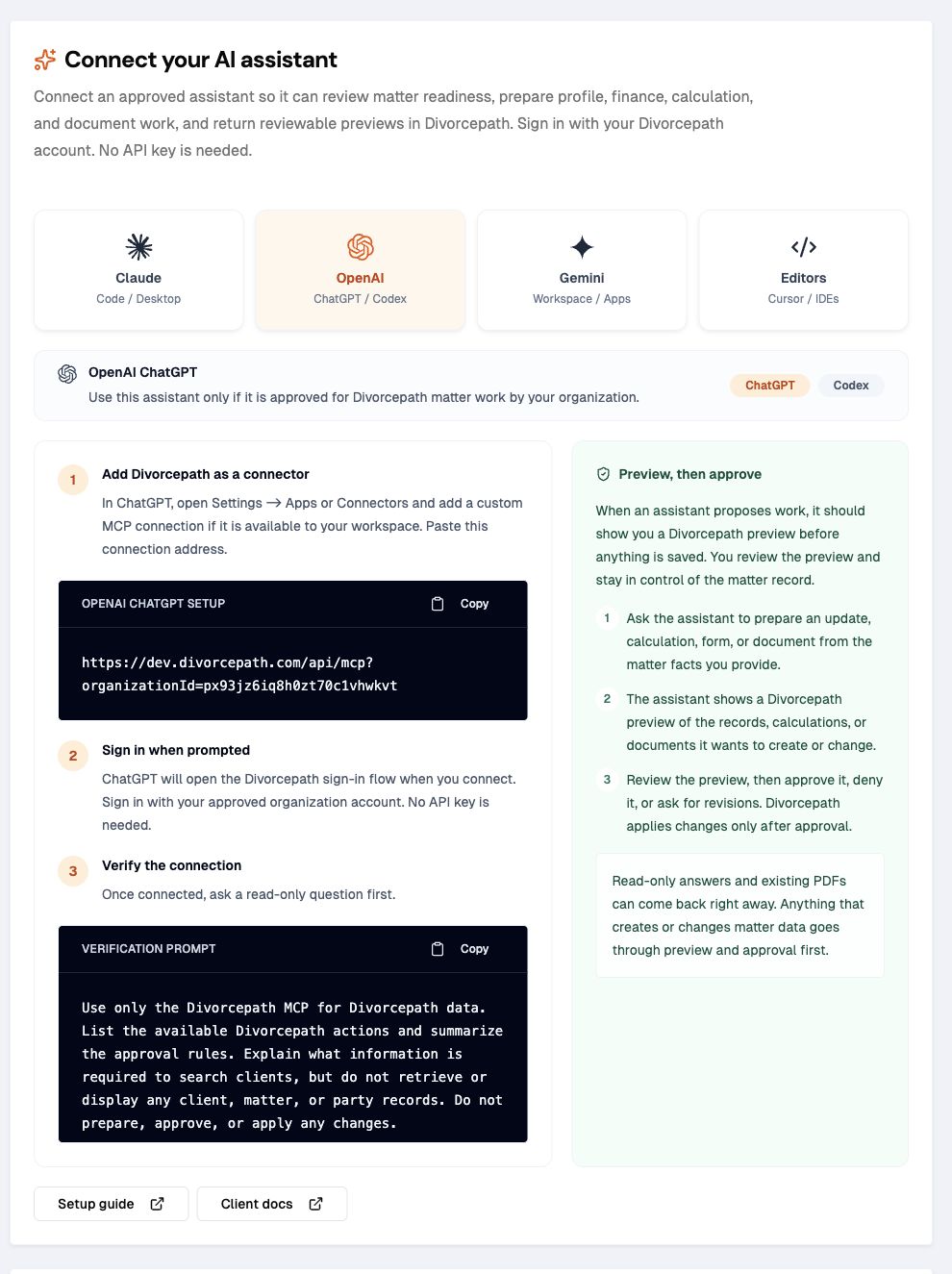
ChatGPT and OpenAI MCP apps
Use ChatGPT/OpenAI MCP apps with organization-scoped access approved by Divorcepath. The normal setup path is to add the Divorcepath MCP connection and sign in with Divorcepath when the app prompts you. No API key is needed.
For Codex, use the Codex-specific setup article because Codex has terminal commands and an optional Divorcepath skill package. For ChatGPT or another OpenAI app, use the app's connector settings and the connection address shown on the Divorcepath AI Assistants page.
When an assistant asks for connection details, use the values shown on the Divorcepath AI Assistants page. They should match this shape:
- connection address:
https://www.divorcepath.com/api/mcp?organizationId=YOUR_ORGANIZATION_ID - transport: Streamable HTTP
- authentication: browser sign-in or OAuth authorization with Divorcepath
- approval rule: prepared work must be reviewed before Divorcepath applies it
Gemini
If your approved Gemini workspace supports custom MCP connections, add Divorcepath with the connection address shown on the AI Assistants page. Use browser sign-in or OAuth authorization when Gemini prompts you. No API key is needed.
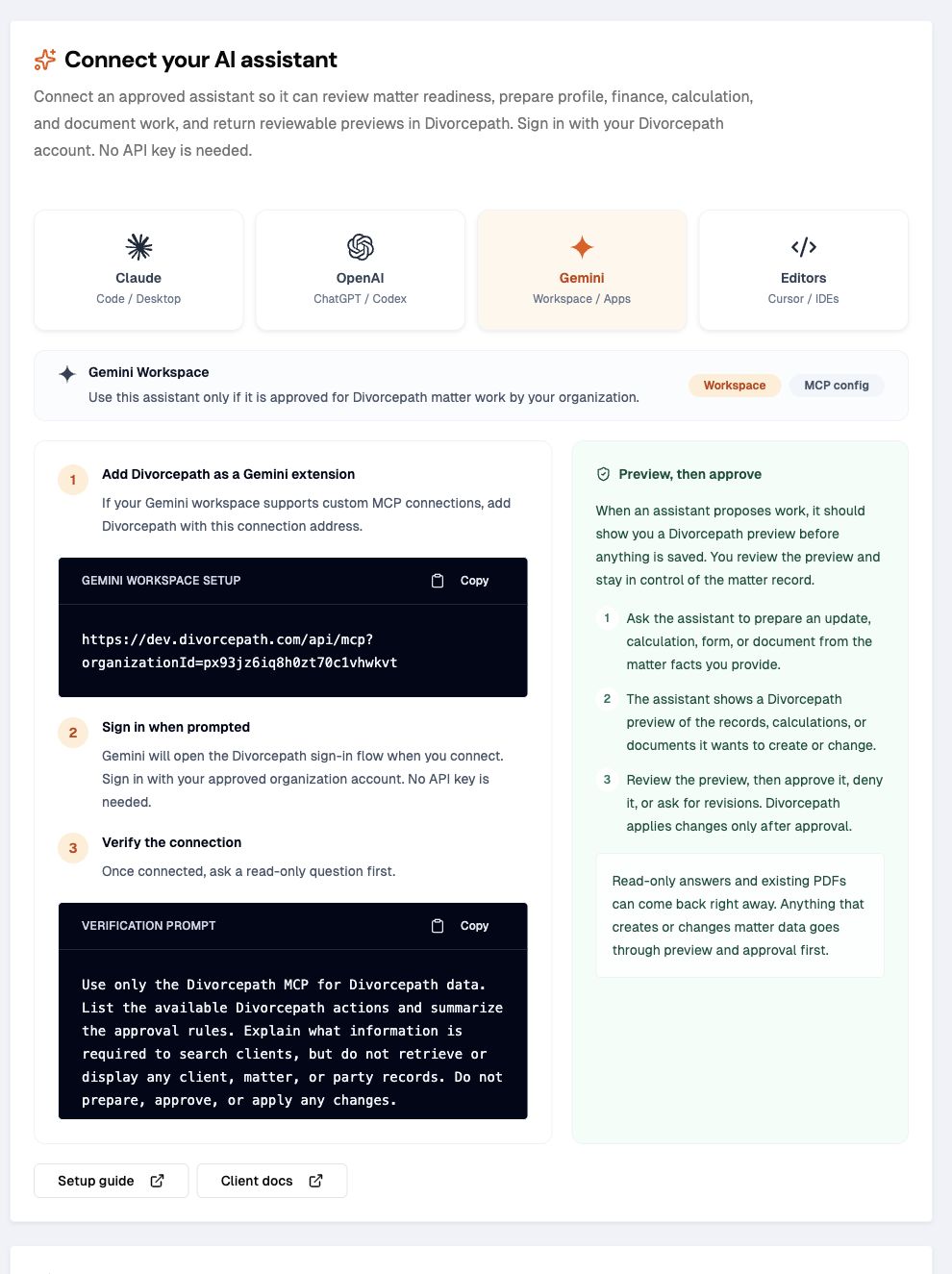
Connection address: https://www.divorcepath.com/api/mcp?organizationId=YOUR_ORGANIZATION_ID
Transport: Streamable HTTP
Use the prompt pack
For assistants that do not support Codex skills, download the Divorcepath MCP skill package and copy the prompts from references/prompts.md. The prompts explain the review gate, matter-readiness workflow, calculation workflow, financial statement workflow, and document-generation workflow in client-neutral language.
Download the Divorcepath MCP skill package
Generic MCP-compatible clients
Any approved MCP-compatible client can connect if it supports the required connection address, OAuth-style sign-in, organization scope, and visible approval prompts.
Connection address: https://www.divorcepath.com/api/mcp?organizationId=YOUR_ORGANIZATION_ID
Transport: Streamable HTTP
Optional client hint: x-mcp-client-name: YOUR_CLIENT_NAME
Approval rule
- Read permitted Divorcepath context.
- Prepare draft profile, finance, calculation, form, or document work for review.
- Show the preview, warnings, risk level, expiry, and target matter to the user.
- Approve the draft only after explicit user approval.
- Apply only approved, current work.
- Discard declined or stale work.
Good assistant workflows
- review a matter and list missing party, child, relationship, finance, and disclosure facts
- prepare reviewed updates to party profiles, income, assets, debts, and child expenses
- inspect support calculations and prepare calculation changes only after missing facts are confirmed
- search financial statement and court-form templates across supported jurisdictions
- check specialized readiness where available, including Ontario Form 13, Form 13.1, Form 13B, and Form 13C
- generate approved court forms, financial forms, agreements, calculation summaries, and available file artifacts
Cursor
Cursor can connect to Divorcepath when your organization has approved Cursor and wants reviewed Divorcepath access there.
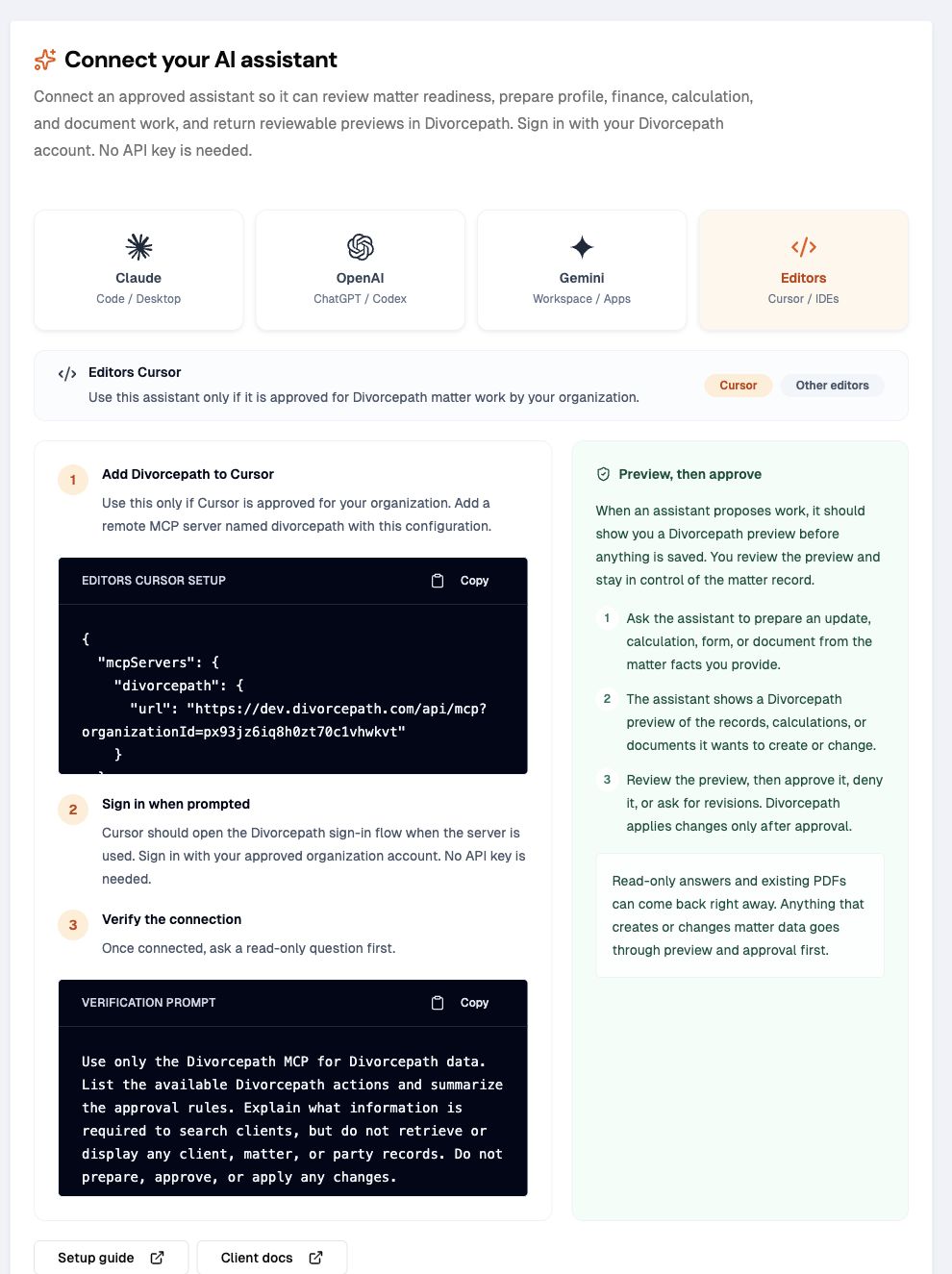
{
  "mcpServers": {
    "divorcepath": {
      "url": "https://www.divorcepath.com/api/mcp?organizationId=YOUR_ORGANIZATION_ID"
    }
  }
}
Cursor setup notes
- Use global MCP config only when Divorcepath should be available across workspaces.
- Use project-level config when Divorcepath should be available only in a specific workspace.
- Sign in with Divorcepath when Cursor or the approved editor prompts for authorization.
- Keep approval prompts enabled for prepared work and applying approved work.
- Ask Cursor to summarize Divorcepath approval rules before it prepares matter work.
- Review prepared work in Divorcepath before approving it.
Minimum test for any assistant
Use the Divorcepath MCP only.
List available Divorcepath actions and summarize the approval rules.
Read one matter summary and list missing information.
Prepare a sample preview that does not change a matter.
Stop before approval.
Confirm prepared work cannot be applied unless it is approved.
Unsupported or limited clients
Do not connect an AI assistant that cannot send authorization details, preserve organization scope, or show user approvals clearly. Divorcepath still enforces approval on the server, but the best setup also makes the review step obvious to the user.
